
USB and external HDD
02GF74 - 10/6/08 at 09:49 AM
I have an external HDD with a Y shaped USB cable. Reason for this is that it connects to two USB sockets on laptop in order to draw sufficient
current - one socket would not supply enough current.
Firstly if I were to make a cable that supplies 5 V independently to the HDD and connects the remaing 3 wires to the laptop - then that should be
ok?
The laptop has trouble recognising the HDD when the cables are plugged in - when one is plugged in the HDD makes clunking noises which go away when
the other cable is plugged in (this is normal since there is not enough juice to get the disk running) but is plugging in a cable when device is not
running followed by plugging in the second cable confusing the laptop?
I guess I can try it but wondering if anyone has come across this.
BTW it is one of these:
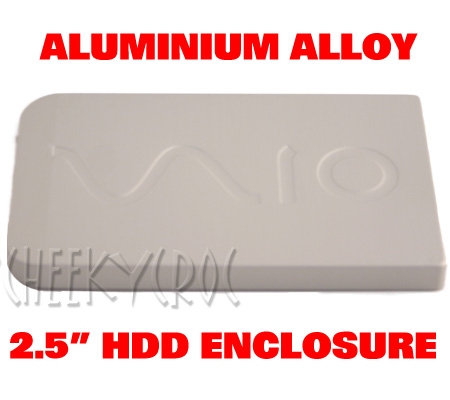 VAIO / VIO? brand
DavidW - 10/6/08 at 09:57 AM
I suppose that should work although cheap powered USB hub might be an easy solution for this and allow other things to be connected?
02GF74 - 10/6/08 at 10:12 AM
hmmm, didn't think of that.
so somehting like this:

phoenix70 - 10/6/08 at 10:14 AM
Normally when you have a device that need two USB ports, one is used for data transfer and the other is just purely for power. Have tried changing
the order in which you plug these in?
Another problem may be your USB ports are just not generating enough power, I've seen this before on laptops where the USB doesn't have a
large enough output for some devices.
As said before, a powered USB hub may be your only option, or possibly a seperate PSU for the HDD
Cheers
Scott
02GF74 - 10/6/08 at 10:20 AM
^^^ yes, that did pop into my mind - I need to buzz the cable thorugh to see how it is wired - as you say, my geeling is that one plug as all 4 wires
connected and other has just - and +.
the order of plugging in then is important and it may explain why the HDD is intermittently recognised by the laptoppy.
would save me a tenner to !! 

mcerd1 - 10/6/08 at 10:59 AM
I got a cheap generic USB 2.0 enclosure for my old laptop disc (6 year old 20Gb IBM 2.5" disk)
it also came with a Y- usb cable (1 long / 1 short) - but I've never needed more than 1 plugged in (even on my old usb 1.0 machines) and both
long and short sides do data & power
but if you miss out the middle plug you get no data but still get power :?
can anyone explain why its like this or why its different to 02GF74's one ??
whitestu - 10/6/08 at 11:46 AM
I've got one like that and it is very unreliable. Sometime it is recognised and sometimes it isn't.
I gave up with mine as it was a pain.
stu
Blackbird Rush - 10/6/08 at 12:01 PM
I used one of these with my old PC hard drive, also works with laptop drives as well, has its own power supply.....

Got it from Maplins for £20.
Works very well.
02GF74 - 10/6/08 at 12:21 PM
quote:
Originally posted by whitestu
I've got one like that and it is very unreliable. Sometime it is recognised and sometimes it isn't.
I gave up with mine as it was a pain.
stu
110 percent exactly what I did not want to hear ... 
ned - 10/6/08 at 02:36 PM
I have one of those sony vaio ripoff chinese cady's (off ebay) and i've only ever plugged in one usb cable and it works fine.
DavidW - 10/6/08 at 04:10 PM
My understanding is that not all laptop USB ports are created equal. Some seem to be able to provide more power.
In my experience, not enough power caused an unreliable USB hard disk.
MikeRJ - 10/6/08 at 07:05 PM
quote:
Originally posted by 02GF74
the order of plugging in then is important and it may explain why the HDD is intermittently recognised by the laptoppy.
would save me a tenner to !!
If it's anything like mine, the cable goes into one USB connector, then comes out and goes into another. The USB connector with only one cable
only has the power connected.
The most foolproof way is to plug both the standard USB ends into the PC before plugging the small USB connector into the hard drive.