paul the 6th
|
| posted on 11/6/09 at 10:55 PM |

|
|
Learning cad/3d modelling - which program to start with....
Just looking for a bit of advice on cad and 3d modelling. I'm a sign writer and graphic designer by trade but my skills lie with the likes of
photoshop, illustrator and corel draw.
One of the main reasons for getting into building a roadster was to act as a learning exercise - not only from a mechanical and engineering point of
view but for the other skills involved.
So to all the experienced cad/modellers out there, which program would you recommend for learning (useability and user friendliness) the basics behind
cad and modelling?
Thinking along the lines of AutoCad and Rhino 3D at the moment but I've feeling these might be a bit tricky to master without a bit of
'proper' tuition?
Thanks in advance 
GoDesign.me.uk - Self Adhesive Vinyl Artwork, Wide Format Printed Artwork and Customised Heat
Pressed Clothing...
--------
http://picasaweb.google.com/haynesroadster - Roadster Photo Build Log
|
NOTE:This user is registered as a LocostBuilders trader and may offer commercial services to other users
|
|
|
brianthemagical
|
| posted on 11/6/09 at 11:03 PM |
|
|
Solidworks is always a good bet, rather intuitive and easy to modify. Other than that it's which evr you can for best value/cheapest.
|
|
|
balidey
|
| posted on 12/6/09 at 06:57 AM |
|
|
I second Solidworks, I've been using it for about 12 years and its easy to use. For 3d its a must, but not many 3d packages are brilliant for 2d
work. For 2d then the free download of Solid Edge 2D is a very good clone of autocad.
But I would say the best thing to do is to go on a training course, colleges do them in the evenings. Yes you can pick up the basics by yourself, or
the tutorials, but you can also pick up bad habits, or not learn the other ways of modelling. Taking solidworks as an example, to model a simple plate
with a hole can be done in about 5 or 6 different ways. Its knowing the advantages and disadvantages of each option that really makes the difference.
And thats what you need to be taught.
[Edited on 12/6/09 by balidey]
|
|
|
MikeCapon
|
| posted on 12/6/09 at 07:27 AM |
|
|
+1 for SolidWorks.
The tutorials included in the package are excellent and all you need to get off the ground. I had a similar background to you before I started and it
took me maybe 20 hours to get to a stage where I could easily create the components and drawings I needed.
|
|
|
wescottishmatt
|
| posted on 12/6/09 at 07:56 AM |
|
|
Solidworks all the way.
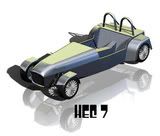
My Avatar was done on solidworks. Have a look in my photo archive theres some more images from the solidworks model and the photoworks add on in
solidworks.
And yes the mistakes have been pointed out already.

|
|
|
eddie99
|
| posted on 12/6/09 at 08:05 AM |
|
|
Fifth vote for Solidworks, its deffinately one of the best CAD programs out there for its price range.
[Edited on 12/6/09 by eddie99]
|
NOTE:This user is registered as a LocostBuilders trader and may offer commercial services to other users
|
mcerd1
|
| posted on 12/6/09 at 08:39 AM |
|
|
rhino is a nice little package for some things and its easy to learn, but its a bit limited so I'd only ever use it as well as something else
autocad isn't good at 3d, I think the new ones are a bit better but still not worth the effort
[Edited on 12/6/09 by mcerd1]
-
|
|
|
D Beddows
|
| posted on 12/6/09 at 12:09 PM |
|
|
I've just finished a (work funded) training course in Autodesk Inventor. It always used to be the poor relation to Solidworks but the newer
versions are actually pretty good as they seem to have 'borrowed' all the best bits of Solidworks. I know my way round Solidworks and I
actually think Inventor is probably easier to get to grips with........ I realise I'm just adding to the confusion however
|
|
|
bigandy
|
| posted on 12/6/09 at 12:33 PM |
|
|
Here's another vote for SolidWorks, from a SolidWorks Certified professional
If you have a modicum of technical ability, and can use software like illustrator, then you can teach yourself SoldiWorks in a few weeks. Seriously.
It is NOT that difficult.
Within the Help files in SolidWorks, there are a number of "online" tutorials, which take you through a series of exercises aimed at
familiarising the user with a range of commands, techniques and tools that are frequently used. They offer a step by step approach, and explain what
is happening at each step. (you do the actual work).
If you don't have access to a fair chunk of money (A seat of SW is in the region of £4k (basic version), plus subscriptions if you want tech
support from your provider), then you can find it on several torrent sites... ahem! AS for support if you choose the latter route, then you can see
there is a wealth of knowledge on here, most people are always willing to help!
Failing that, if you want someone to do the SW work for you, I'm starting a design consultancy business in the near future, offering 3D design
services. My rates will be gooooood
Cheers
Andy
Dammit! Too many decisions....
|
|
|
hellbent345
|
| posted on 12/6/09 at 12:53 PM |
|
|
another vote for solidworks, used it for the last 3 or 4 years, very very simple to get to grips with if youve got a little bit of patience and prior
knowledge of how computers work! the tutorials are well thought out and get you to grips with the basics, do them first and you won't go far
wrong.
Also make sure that you apply a little bit of thought when you are designing something, like radiuses in corners if the part is to be machined etc,
and itll be so much easier for your parts to get made if you choose to go down that route
Al
(ps my avatar was also done on solidworks, but i dont have photoworks  ) )
|
|
|